






The High-Speed Paradox: Why Gigabit Plans Don’t Stop Complaints
Reliable internet is now an essential amenity for renters. According to Parks Associates, connectivity is non-negotiable for modern renters. Their data shows that 71% prioritize immediate Wi-Fi availability, with 41% explicitly expecting their internet to be up and running the moment they walk through the door. Yet roughly half of residents in multi-dwelling units (MDUs) report Wi-Fi problems. Property managers might assume that paying for a high-speed plan and placing a few routers is enough to satisfy tenants. Persistent complaints show that coverage issues are rooted in factors beyond raw bandwidth.
This article outlines the misconceptions property managers often hold about Wi-Fi, explains the real causes of poor coverage in MDUs, clarifies key technical distinctions, and describes how managed Wi-Fi and bulk internet models address these problems. It is written for property owners, asset managers and HOA boards seeking to improve resident satisfaction and operational efficiency.
5 Common Myths About MDU Wi-Fi and Dead Zones
Property managers often misdiagnose Wi-Fi problems by relying on outdated assumptions. Here are the five most common misconceptions that lead to coverage headaches:
- Myth 1: Faster speeds fix coverage. Speed (throughput) refers to how fast data moves, whereas capacity refers to how many users the network can support. Upgrading the backhaul does not eliminate dead zones caused by interference.
- Myth 2: More access points mean better Wi-Fi. Placing extra routers or APs without a coordinated RF design actually increases interference, causing signals to collide.
- Myth 3: Resident routers are sufficient. In “Bring-Your-Own-Router” environments, hundreds of unmanaged devices compete for airtime, leading to severe congestion and inconsistent performance.
- Myth 4: Indoor Wi-Fi is enough. Residents expect seamless connectivity in pools, gyms, and parking areas, yet indoor-only networks leave these high-value amenity spaces underserved.
- Myth 5: Wi-Fi is the same as the Internet. Wi-Fi is only the local wireless link. It cannot improve the bandwidth provided by the ISP backhaul, and a strong signal bar doesn’t guarantee a fast internet connection.
The Real Reasons Coverage Falls Short in MDUs
Poor coverage stems from the physical environment and network design. Construction materials such as concrete and brick attenuate radio waves; NIST research confirms that an 8-inch concrete slab can block up to 55 dB of signal, essentially killing a standard Wi-Fi connection instantly. Thick walls and steel frames create dead zones that no consumer router can overcome. MDUs also house hundreds of devices, and overlapping resident routers create congestion during peak hours. Without careful channel planning and load balancing, signals collide and speeds drop.
Network design and management exacerbate these challenges. Placing APs too close or too far causes interference and gaps; multipath fading from reflected signals can lead to irregular coverage. In unmanaged networks, many clients may connect to the same AP at busy times, dividing airtime and bandwidth. Retail ISP setups leave property managers with little visibility or control. Managed Wi-Fi provides 24/7 monitoring and proactive maintenance, enforcing client limits, adjusting power and channels, and future-proofing the network for increasing demand.
Distinguishing Speed, Capacity, and Coverage
Three related concepts often confuse decision-makers. Coverage describes where a Wi-Fi signal is available; it depends on AP placement, antenna power and building materials. Capacity is how many clients and how much data the network can handle at once, while speed (throughput) measures the data rate and depends on the ISP backhaul, Wi-Fi standard, device capability and congestion. Improving one dimension does not automatically improve the others; a well-designed network balances all three.
Another common misconception is confusing Wi-Fi with the backhaul. The internet backhaul,fiber, cable or DSL, connects the property to the broader internet. Wi-Fi distributes that connection wirelessly within the property. Upgrading APs can improve coverage and reduce interference but cannot exceed the backhaul’s capacity. Diagnosing complaints requires checking both the backhaul and the local wireless network.
Finally, network topology matters. Unit-based models, where each resident contracts separately and installs a personal router, create dozens of overlapping networks and inconsistent coverage. Bulk internet treats the property as one customer, purchasing bandwidth wholesale and distributing it through a shared infrastructure. Managed Wi-Fi adds professionally designed APs and central management, offering a single SSID and seamless roaming. For many modern MDUs, bulk internet plus managed Wi-Fi is an increasingly common approach for delivering consistent coverage and support.
The Strategic Shift to Managed Bulk Networks
How Managed Wi-Fi Fixes the Problem
Managed Wi-Fi providers design networks holistically. They conduct site surveys, use heat maps and place APs strategically to overcome building materials. Systems automatically select the least congested channels, adjust power levels and may implement beamforming (where supported) to improve performance. Central monitoring allows providers to detect interference and fix problems before residents notice. Residents use a single SSID and roam across the property without reauthenticating. Upgradable firmware and hardware support newer standards like Wi-Fi 6E/7 without requiring residents to replace their own equipment. These features collectively solve many root causes of coverage complaints.
The ROI of Bulk Internet vs. Retail ISPs
Bulk internet agreements treat the property as an enterprise customer. By purchasing bandwidth for all units, owners can secure better pricing and more consistent service levels. Residents enjoy immediate connectivity at move-in, aligning with renter expectations for day-one service. Shared infrastructure can reduce construction and coordination overhead compared with individual installations, and higher backhaul capacity provides a stronger foundation for streaming and work-from-home. Bundling bulk internet with managed Wi-Fi ensures 24/7 monitoring, seamless roaming and IoT readiness. Owners can offer internet as a turnkey amenity or revenue opportunity, while residents often see lower costs and improved consistency.

How Quantum Wi-Fi Delivers Indoor-Outdoor Connectivity
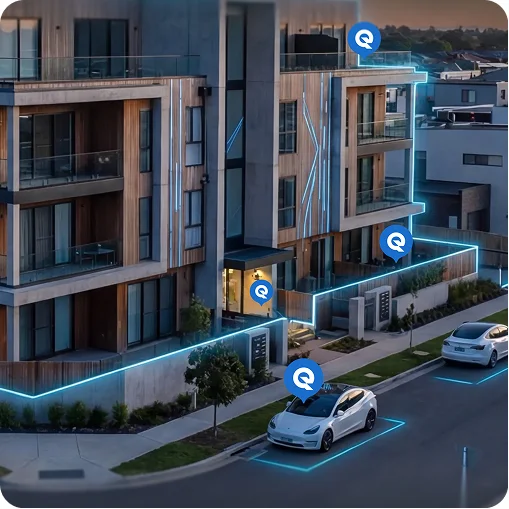
At Quantum Wi-Fi, we future-proof properties by deploying exclusively Wi-Fi 7 infrastructure. As the absolute newest standard in wireless technology, Wi-Fi 7 handles high-density environments better than any previous generation, offering lower latency and massive capacity for 8K streaming and gaming. We install these cutting-edge access points across units and common areas, segmenting traffic for privacy while ensuring residents stay connected everywhere on the property – from their living rooms to the pool deck, without ever needing to install their own equipment.
Actionable Steps for Property Managers
To improve resident satisfaction and reduce complaints, property managers should focus on a few core actions:
Assess your current network: perform a coverage survey to identify dead zones, interference and high-density areas, and confirm that the backhaul can handle peak demand. Replace outdated APs and optimize channel and power settings.
Understand resident needs: solicit feedback about problem areas (e.g., balconies or courtyards) and use it to prioritize improvements. Consider security by ensuring each unit’s traffic is isolated and IoT devices are protected.
Select partners carefully: evaluate providers based on their design process, interference management, monitoring and support, future-proofing and economic model. Look for those who conduct site surveys, offer 24/7 monitoring and support, plan for Wi-Fi 7 and provide transparent pricing structures. Ask how they protect resident data and whether their bulk pricing can reduce costs or generate revenue.
Turning Connectivity into a Competitive Advantage
Wi-Fi complaints in MDUs persist because property managers often rely on faulty assumptions. Upgrading speeds or adding routers does not fix dead zones created by concrete walls, device density, peak-hour congestion or poor RF design. Understanding the distinctions among coverage, capacity and speed – and between Wi-Fi and the backhaul – helps owners diagnose problems accurately.
Modern managed Wi-Fi and bulk internet models address these challenges by centralizing network design, controlling interference and providing enterprise-grade support. These systems use professional site surveys, integrated indoor–outdoor coverage, automatic channel selection and continuous monitoring. Bulk internet agreements can secure affordable bandwidth, support move-in connectivity expectations and provide a foundation for IoT growth. When combined, they deliver property-wide coverage that satisfies residents and improves NOI. By asking informed questions and partnering with experienced providers, property managers can reduce Wi-Fi headaches and transform connectivity into a competitive advantage.